
Backup & restore
Two things to back up: the PostgreSQL database and the files folder (or the S3 bucket).
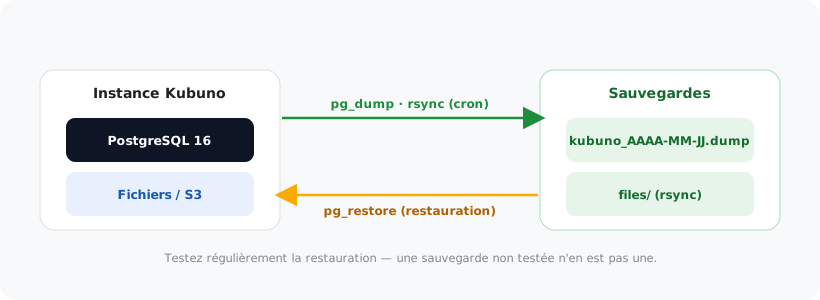
With the console shipped with the core #
The package installs a kubuno command, which reads the instance's configuration: you have neither credentials nor a database name to track down.
sudo kubuno db:backup                 # → kubuno_backup_<date>.sql
sudo kubuno db:backup -o /var/backups/kubuno/nuit.sql
sudo kubuno db:restore /var/backups/kubuno/nuit.sql
sudo kubuno db:status                 # connectivité et migrations
Or directly with PostgreSQL #
# Sauvegarde complète
pg_dump -Fc kubuno > kubuno_$(date +%F).dump

# Restauration
pg_restore --clean --if-exists -d kubuno kubuno_2026-06-25.dump
Files #
rsync -a /var/lib/kubuno/files/ /sauvegardes/kubuno-files/Note
The package prepares /var/backups/kubuno (reachable by the service account alone): that is the place intended for your backups.
Best practice
Automate it with cron. Regularly test the restore: an untested backup is not a backup.