
HTTPS & reverse proxy
In production, put a reverse proxy (nginx) in front of the core, or enable TLS directly in the core.
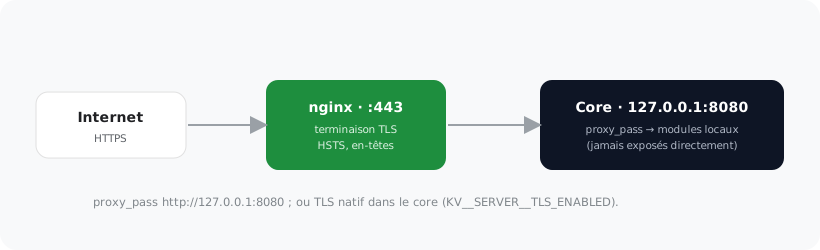
nginx → core #
server {
  listen 443 ssl;
  server_name cloud.exemple.tld;
  ssl_certificate     /etc/letsencrypt/live/cloud.exemple.tld/fullchain.pem;
  ssl_certificate_key /etc/letsencrypt/live/cloud.exemple.tld/privkey.pem;
  location / {
    proxy_pass http://127.0.0.1:8080;
    proxy_set_header Host $host;
    proxy_set_header X-Forwarded-For $remote_addr;
    proxy_set_header X-Forwarded-Proto $scheme;
  }
}
Native TLS in the core #
KV__SERVER__TLS__ENABLED=true
KV__SERVER__TLS__CERT_PATH=/etc/kubuno/tls/cert.pem
KV__SERVER__TLS__KEY_PATH=/etc/kubuno/tls/key.pem
KV__SERVER__SECURE_COOKIES=true
Tip
Enable SECURE_COOKIES behind HTTPS so refresh tokens (HttpOnly cookies) only travel over TLS. The HSTS / X-Frame-Options headers are handled by the core.